The practical answer.
State of charge is an estimate, and two devices can calculate or receive it differently. Compare the source of each display, current-measurement boundaries, capacity settings and charge-completion history. Do not treat matching terminal voltage as proof that two displayed percentages should agree.
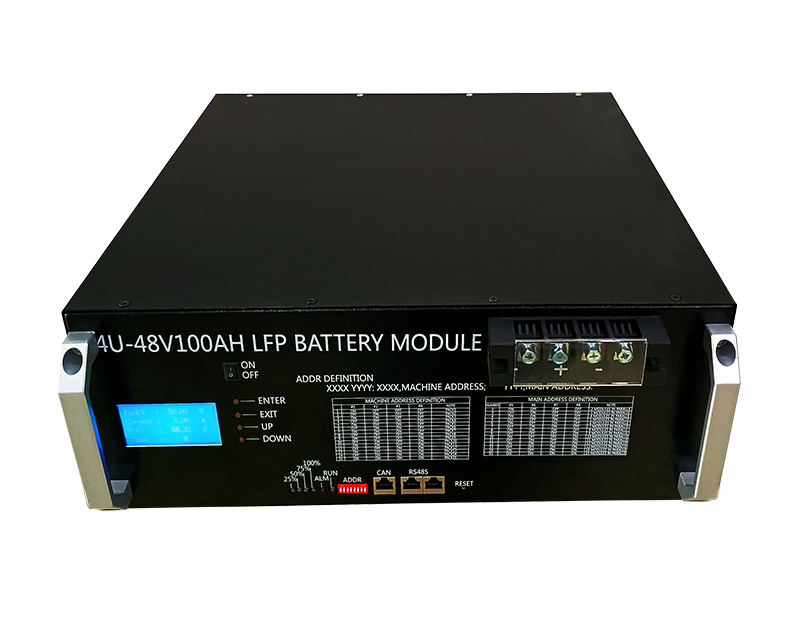
Find out where each percentage comes from
A rack battery may report a BMS estimate, while an inverter may display received battery data or an independently calculated value. A separate monitor can have a third estimate. Ask the equipment parties to identify the source of each displayed number and the expected update rate. Matching labels on two screens do not prove a shared calculation.
Record the model and firmware of every device and the configuration of the communications link. Note when the disagreement began: after commissioning, an expansion, a firmware update, a long partial-charge period or a power interruption. That timeline helps distinguish an integration change from a gradually accumulated estimation error.
Understand how small accounting errors accumulate
A current-integrating monitor tracks charge flowing into and out of the battery. A small offset can therefore accumulate over time. For a hypothetical 100Ah battery, a persistent 0.02A error over 24 hours represents 0.48Ah, or about 0.48 percentage point relative to that nominal capacity. Over 14 days the uncorrected arithmetic reaches 6.72Ah. This example isolates one error mechanism; it is not a prediction of a particular monitor.
A real estimate can also account for capacity assumptions, charge efficiency and other model parameters. Review raw data and the manufacturer’s diagnostics before assigning a percentage difference to cell aging. A correction in displayed SOC does not necessarily mean that physical charge disappeared at that instant.
Check measurement boundaries before adjusting calibration
If a charger or accessory bypasses an external current sensor, its contribution is absent from that monitor’s accounting. The cited SmartShunt troubleshooting manual describes this failure mode. The practical review is to compare an approved as-installed diagram with the intended measurement boundary, not to guess at new wiring from a screen reading.
An integrator should also determine whether multiple battery modules report a complete system total or only a selected unit. A displayed capacity set for one module may not describe an expanded installation. Do not assume that every BMS or inverter automatically recognizes changes in module count; request the supported configuration and the corresponding commissioning record.
Verify settings against the exact battery configuration
Record the configured charge capacity, monitor mode, current direction, relevant filtering and any threshold below which current is ignored. The SmartShunt manual documents those concepts for its own equipment. Its default numbers are not universal LiFePO4 settings and should not be copied into an unrelated battery or controller.
A threshold intended to suppress measurement noise can also conceal a genuine small load if selected without considering that load. Likewise, treating an actual load as zero during calibration can create a systematic offset. Calibration and settings changes belong to the responsible technician using the equipment instructions. Save the original configuration and observations before any approved change.
| Question | Evidence to retain |
|---|---|
| Which device calculates SOC? | Protocol description or approved configuration |
| What capacity is configured? | Model, module count and monitor setting |
| Does every branch cross the sensor? | As-installed measurement diagram |
| When was full charge established? | Voltage, current, duration and event history |
| Did configuration change? | Firmware and settings revision records |
Investigate synchronization without forcing a reassuring number
The cited Victron monitor establishes its full-charge synchronization using a combination of voltage, current and time conditions. Its documentation explains that missed or inappropriate synchronization can allow the estimate to drift. That manufacturer-specific example supports asking how the proposed rack system establishes a reliable reference; it does not establish a universal voltage or tail-current value.
Ask for the battery and inverter manufacturers’ approved completion criteria and permitted recovery process. Avoid manually declaring a partly charged battery full simply to make the displays agree. Equally, do not change charge limits above the approved specification to trigger a reset. The objective is correct accounting during permitted operation, rather than a cosmetically synchronized dashboard.
Compare voltage, SOC and operational evidence together
LiFePO4 voltage behavior can make a simple voltage-to-percentage interpretation unreliable across part of the operating range. Load, recent charging and temperature also affect the observed terminal voltage. The inverter manual cited here illustrates the relatively flat LiFePO4 discharge curve; it does not provide a calibration table for Jetray’s rack reference.
Use the voltage trace as supporting context alongside current, delivered energy and events. If the system reaches its normal stop earlier than expected, compare the actual energy delivered under comparable conditions. A percentage disagreement without a corresponding service loss calls for a different investigation from a repeatable reduction in usable energy.
Prepare a useful supplier support packet
Export a time-aligned record containing the battery SOC, inverter SOC, voltage, current, temperatures, charging state and relevant alarms. State the sign convention for charge and discharge. Include the period before and after the discrepancy rather than only a final screenshot. Mark any missing or differently sampled data so the service team does not infer false precision.
For a Jetray storage review, identify the quoted battery model and current specification together with the intended inverter and communication arrangement. Ask which party owns the SOC calculation and which observations would justify a controlled acceptance retest. This separates a model-specific service question from a general assumption that every percentage display is a direct measurement of stored energy.
Answers to common SOC questions
Does a sudden SOC correction prove the battery lost capacity?
No. An estimator may correct its internal reference after detecting an operating condition. Investigate delivered energy and the event history before making a capacity or warranty conclusion.
Should I set every monitor to 100% after charging starts?
No. A valid full-charge reference depends on the battery and monitor instructions. An unsupported manual reset can hide the accounting issue and make later estimates less reliable.
Can an SOC mismatch be solved by raising protection limits?
Protection settings serve a different purpose from estimation. Do not change them to fix a display disagreement. Use the manufacturer-supported diagnostic and commissioning procedure with responsible technical personnel.
Sources & further reading
- Victron SmartShunt manual: current integration and synchronisation ↗
- Victron SmartShunt manual: incomplete current and state-of-charge drift ↗
- Victron SmartShunt manual: battery capacity, current threshold and calibration settings ↗
- Victron SUN Inverter manual: operating modes and load-dependent settings ↗
AI-assisted engineering and procurement education, checked against the cited original sources. Calculations and example data are illustrative, not Jetray test results. Use the approved battery and inverter instructions and qualified system personnel for installation or settings changes.
Prepared for the energy storage batteries collection. General engineering guidance does not replace a model-specific datasheet or application validation. Source review: 5 November 2026.